
Knowledge Base
Create and manage knowledge bases, upload documents, and generate summaries. Knowledge bases are critical information sources that let agents securely use your private data.
🔧 Create a Knowledge Base
- Click Create Knowledge Base
- Enter a descriptive, unique name
Note: Knowledge base names must be unique and can only contain Chinese characters or lowercase letters. Spaces, slashes, and other special characters are not allowed.
📁 Upload Files
Upload Files
- Select a knowledge base from the list
- Click the upload area to pick files (multi-select supported) or drag them in directly
- Nexent automatically parses files, extracts text, and vectorizes the content
- Track the processing status in the list (Parsing/Ingesting/Ready)
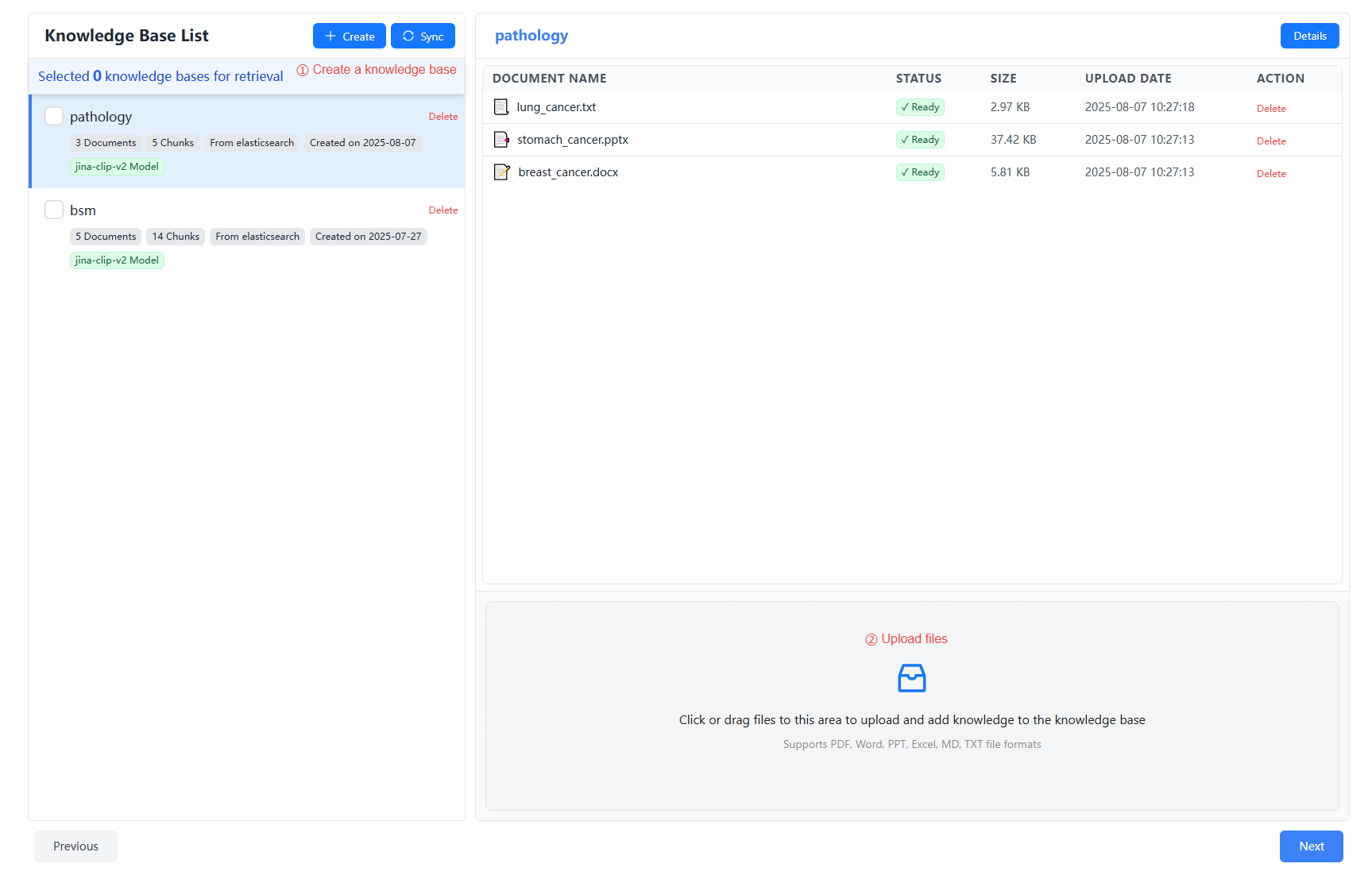
💡 Hover over the status to understand the progress and error reasons

Supported File Formats
Nexent supports multiple file formats, including:
- Text: .txt, .md
- PDF: .pdf
- Word: .docx
- PowerPoint: .pptx
- Excel: .xlsx
- Data files: .csv
📊 Knowledge Base Summary
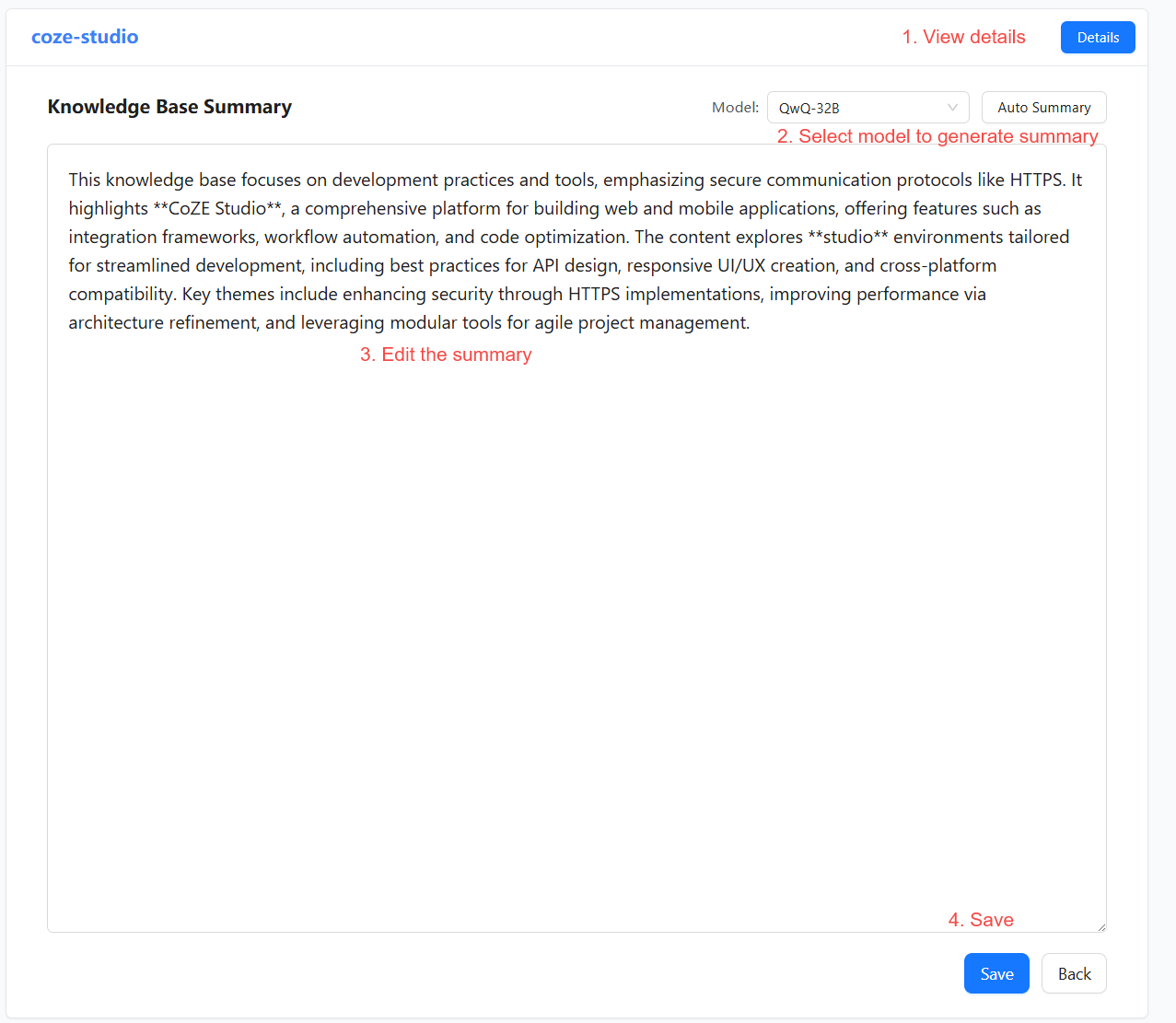
Give every knowledge base a clear summary so agents can pick the right source during retrieval.
- Click Details to open the detailed view
- Choose a model and click Auto Summary to generate a description
- Edit the generated text to improve accuracy
- Click Save to store your changes
🔍 Knowledge Base Management
View Knowledge Bases
- Knowledge Base List
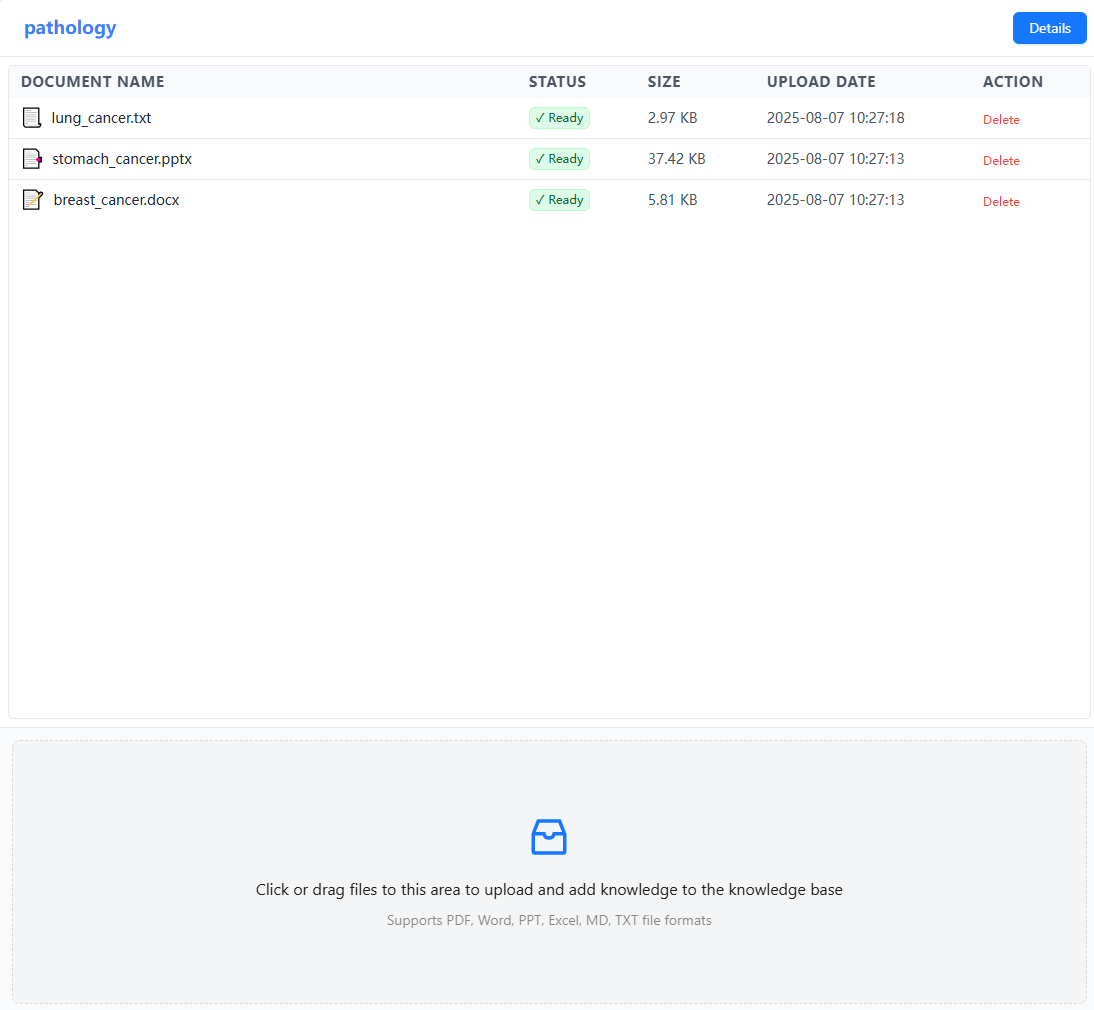
- The left column lists every created knowledge base
- Shows the name, file count, creation time, and more
- Knowledge Base Details
- Click a knowledge base to see all documents
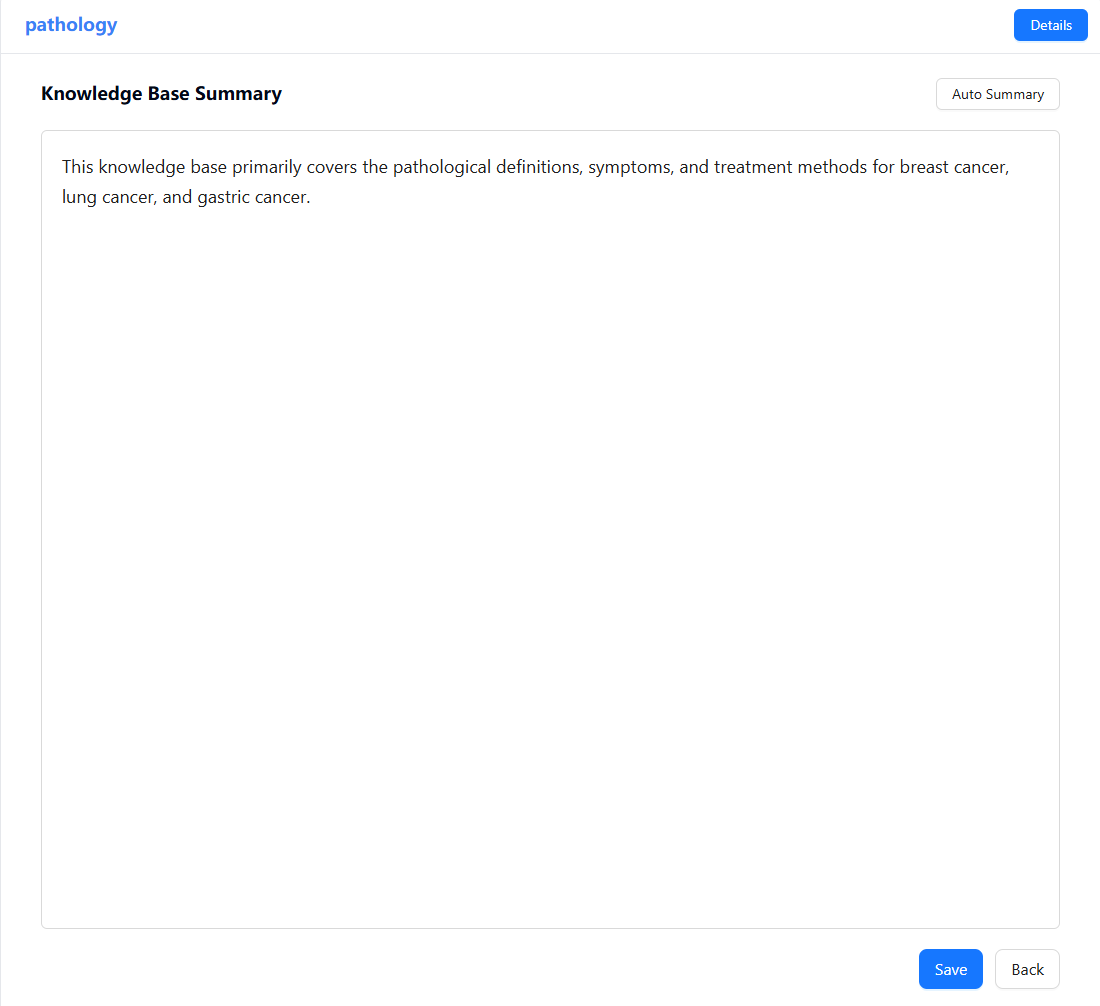
- Click Details to view or edit the summary
Edit Knowledge Bases
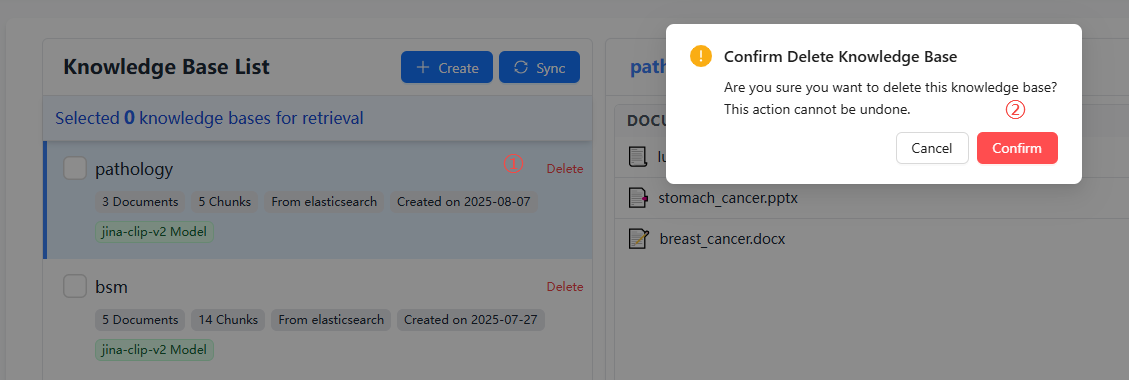
- Delete Knowledge Base
- Click Delete to the right of the knowledge base row
- Confirm the deletion (irreversible)
- Delete or Add Files
- Inside the file list, click Delete to remove a document
- Use the upload area under the list to add new files
🚀 Next Steps
After completing knowledge base configuration, we recommend you continue with:
- Agent Development – Create and configure agents
- Start Chat – Interact with your agent
Need help? Check the FAQ or open a thread in GitHub Discussions.